Introduction
In today’s digital world, blocking phone numbers has become a common way to avoid spam calls, telemarketers, or unwanted contacts. However, there are times when you may want to reconnect with someone or realize that a number was blocked by mistake. This is where understanding How to Unblock a Number becomes essential.
Whether you are using an Android phone, an iPhone, or even a landline service, unblocking a number is usually a simple process, but it varies depending on your device and service provider. This comprehensive guide will walk you through everything you need to know about How to Unblock a Number, ensuring that you can easily restore communication whenever needed.
Understanding Why Numbers Get Blocked and Why You May Want to Unblock Them
Before diving into How to Unblock a Number, it is important to understand why numbers get blocked in the first place. People often block numbers to avoid spam calls, persistent telemarketers, or unwanted personal contacts. Smartphones have made it easy to block numbers with just a few taps, offering peace of mind and control over incoming calls and messages. However, situations change.
You might block a friend during a disagreement, or accidentally block an important contact such as a colleague or service provider. Over time, you may want to reconnect, making it necessary to learn How to Unblock a Number. Recognizing the reasons behind blocking and unblocking can help you manage your contacts more effectively and avoid communication issues.
How to Unblock a Number on Android Devices
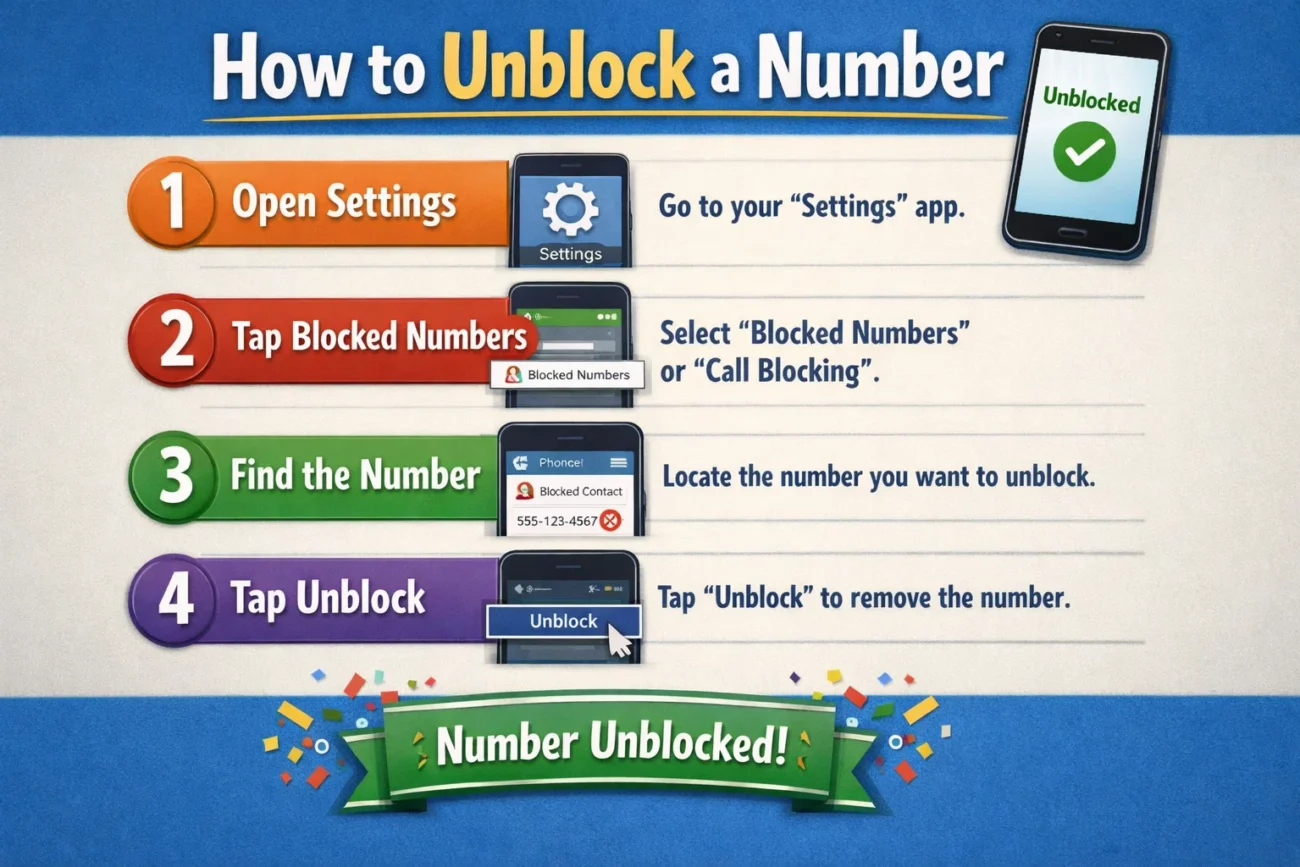
Android devices offer a straightforward process for managing blocked contacts. If you are wondering How to Unblock a Number on Android, start by opening your Phone app. Tap on the three-dot menu icon located in the top-right corner, then select “Settings.” Within the settings menu, you will find an option labeled “Blocked Numbers” or “Call Blocking.” Here, you will see a list of all the numbers you have blocked.
To unblock a number, simply tap the “X” or “Remove” icon next to the number you wish to unblock. Once removed from the list, the number will be able to call and message you again. Understanding How to Unblock a Number on Android ensures that you maintain control over your communication settings without any hassle.
How to Unblock a Number on iPhone
If you are using an iPhone, learning How to Unblock a Number is equally simple. Begin by opening the “Settings” app on your device. Scroll down and tap on “Phone,” then select “Blocked Contacts.” This section displays all the numbers you have previously blocked. To unblock a number, tap “Edit” in the top-right corner, then tap the red minus icon next to the number you want to unblock.
Finally, tap “Unblock” to confirm. Once completed, the number will be removed from your blocked list, and you will start receiving calls and messages from that contact again. Knowing How to Unblock a Number on iPhone helps ensure that you can easily reverse any blocking decisions.
How to Unblock a Number on Messaging Apps
Blocking doesn’t only occur on your phone’s call settings; many messaging apps also allow you to block contacts. If you are trying to learn How to Unblock a Number on apps like WhatsApp, Messenger, or other chat platforms, the process is usually found within the app’s privacy settings. For example, in WhatsApp, you can go to “Settings,” then “Privacy,” and select “Blocked Contacts.”
Here, you can tap on the contact and choose to unblock them. Similarly, other messaging apps have their own blocked lists where you can manage contacts. Understanding How to Unblock a Number within these apps ensures that you can fully restore communication across all platforms.
How to Unblock a Number Through Your Carrier
Sometimes, numbers are blocked at the network level through your carrier. In such cases, knowing How to Unblock a Number involves accessing your carrier’s services. Many telecom providers offer call-blocking features through their apps or websites. You can log in to your account, navigate to call management or blocking settings, and remove the number from the blocked list.
Alternatively, you can contact customer support and request assistance in unblocking a number. This method is especially useful if you cannot find the blocked number on your device but still are not receiving calls from it. Learning How to Unblock a Number through your carrier ensures that no restrictions remain at the network level.
How to Unblock a Number on Landline Phones
Although smartphones dominate today’s communication, landline phones are still in use. If you are trying to understand How to Unblock a Number on a landline, the process may vary depending on your service provider. Some landlines have built-in call-blocking features that can be accessed through a menu system.
Others require dialing a specific code to manage blocked numbers. In some cases, you may need to contact your service provider to remove a blocked number. Understanding How to Unblock a Number on a landline ensures that you can manage your calls effectively, even without a smartphone.
Common Issues When Unblocking Numbers and How to Fix Them
While learning How to Unblock a Number, you might encounter some issues. For instance, even after unblocking a number, you may still not receive calls or messages. This could be due to network issues, incorrect settings, or the contact still being blocked in another app.
To resolve this, check your phone’s settings, ensure that “Do Not Disturb” mode is turned off, and verify that the number is not blocked in any messaging apps. Restarting your device can also help resolve temporary glitches. Understanding these potential problems will make your experience with How to Unblock a Number smoother and more efficient.
Tips to Manage Blocked and Unblocked Numbers Effectively
Managing blocked contacts is an important aspect of digital communication. When you understand How to Unblock a Number, it is equally important to keep your contact list organized. Regularly review your blocked list to ensure that only unwanted numbers remain blocked. Avoid blocking numbers impulsively, as you may forget about it later.
Consider saving important contacts with clear names to avoid accidental blocking. These simple practices can help you maintain better control over your communication and make the process of How to Unblock a Number less frequent.
Privacy and Safety Considerations When Unblocking Numbers
While it is useful to know How to Unblock a Number, you should also consider your privacy and safety. If you have blocked a number due to harassment, spam, or threats, think carefully before unblocking it. Unblocking a number will allow the person to contact you again, which may not always be desirable.
In such cases, it is better to keep the number blocked and explore additional safety measures, such as reporting the number or using call-filtering apps. Understanding the risks involved in How to Unblock a Number can help you make informed decisions.
How to Unblock a Number for Text Messages Only
Sometimes, you may want to receive calls from a number but not text messages, or vice versa. In such cases, understanding How to Unblock a Number for specific communication types is important. On some devices, blocking calls and messages are managed separately.
Check your messaging app settings to see if the number is blocked there. Remove it from the blocked list to start receiving texts again. This selective approach to How to Unblock a Number allows you to customize your communication preferences.
The Importance of Double-Checking Your Block List
Many users forget which numbers they have blocked over time. When learning How to Unblock a Number, it is a good habit to regularly review your block list. This ensures that you are not missing important calls or messages. It is especially useful for business professionals or individuals who rely on frequent communication. By keeping your block list updated, you can avoid unnecessary disruptions and make the most of your understanding of How to Unblock a Number.
Advanced Methods to Unblock Numbers
For users who are more tech-savvy, there are advanced methods for managing blocked numbers. If you are exploring deeper ways of How to Unblock a Number, you can use third-party apps that provide enhanced call management features. These apps often allow you to view detailed call logs, block or unblock numbers with ease, and even filter calls based on categories.
However, be cautious when using third-party apps, as they may require access to your contacts and personal data. Understanding advanced options can give you more flexibility in How to Unblock a Number.
How to Prevent Accidental Blocking in the Future
Once you understand How to Unblock a Number, the next step is to prevent accidental blocking. Many smartphones have options to confirm before blocking a number. Enable these confirmations to avoid mistakes. Additionally, familiarize yourself with your phone’s interface so that you do not accidentally tap the block option.
Keeping your device updated can also improve its functionality and reduce the chances of errors. By taking these precautions, you can minimize the need to frequently search for How to Unblock a Number.
Conclusion
Learning How to Unblock a Number is an essential skill in today’s communication-driven world. Whether you are using an Android device, an iPhone, a messaging app, or a landline, the process is generally simple and user-friendly. By understanding the different methods and being aware of potential issues, you can easily restore communication with any contact.
Remember to consider your privacy and safety before unblocking any number, and always keep your block list organized. With the knowledge provided in this guide, you are now fully equipped to handle any situation related to How to Unblock a Number, ensuring that you stay connected when it matters most.
You May Also Read: bengals vs minnesota vikings match player stats
