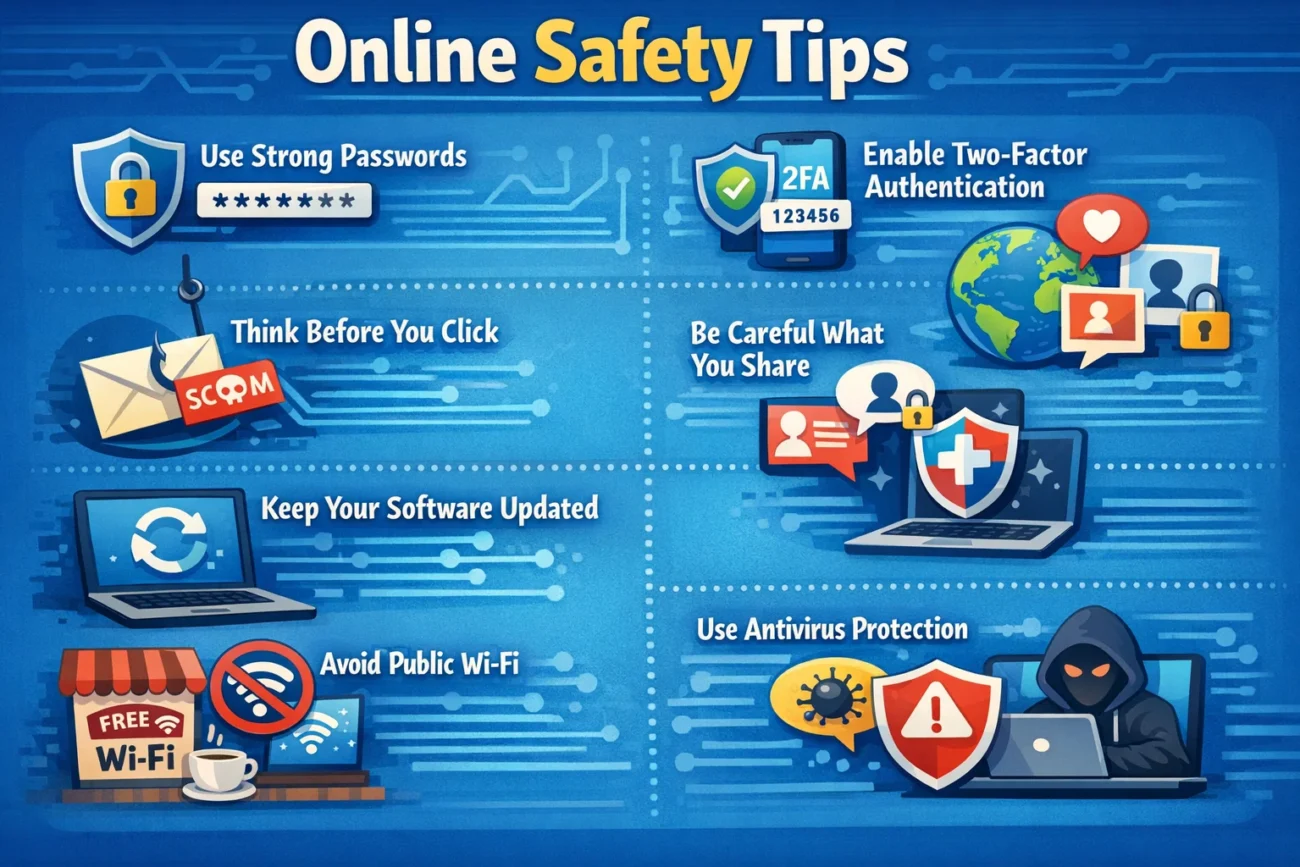
Introduction to Online Safety Tips
In today’s digital age, the internet has become an integral part of our daily lives. From social media to online banking, and from remote work to streaming entertainment, the web offers endless opportunities. However, with these conveniences come risks. Cyber threats, data breaches, and online scams are becoming increasingly common, making it crucial to understand and practice effective online safety tips. Protecting yourself online not only safeguards your personal information but also ensures a secure digital environment for your family, friends, and colleagues.
Understanding the Importance of Online Safety Tips
Before diving into specific strategies, it is important to understand why online safety tips are essential. Cybercriminals continuously develop sophisticated methods to exploit vulnerabilities, often targeting unsuspecting users. Identity theft, phishing attacks, malware infections, and ransomware are just a few examples of potential online threats.
Following proper online safety tips can help mitigate these risks, prevent financial loss, and protect sensitive personal data. It’s not just about technology—it’s about creating a mindset of vigilance and awareness while navigating the internet.
Create Strong and Unique Passwords
One of the most fundamental online safety tips is creating strong, unique passwords for all your accounts. Many users make the mistake of using simple or repetitive passwords, which are easily cracked by hackers. A secure password should include a combination of uppercase and lowercase letters, numbers, and special characters.
Avoid using personal information such as birth dates or names. Additionally, using a password manager can help generate and store complex passwords securely, ensuring that each account has a unique and robust defense against unauthorized access.
Enable Two-Factor Authentication (2FA)
Another critical practice in your online safety tips arsenal is enabling two-factor authentication (2FA). 2FA adds an extra layer of security by requiring a secondary verification method in addition to your password, such as a code sent via SMS or an authentication app. Even if your password is compromised, 2FA significantly reduces the likelihood of unauthorized access. This simple step can prevent hackers from gaining entry into your accounts and is highly recommended for email, social media, and financial platforms.
Be Wary of Phishing Scams
Phishing scams are deceptive attempts to obtain sensitive information, such as login credentials or credit card numbers, often disguised as legitimate communications. Recognizing phishing attempts is essential for online security. Some online safety tips include checking email addresses carefully, avoiding clicking on suspicious links, and never providing personal information through unsolicited messages.
Secure Your Devices
Keeping your devices secure is a crucial component of online safety tips. Regularly updating your operating system, apps, and antivirus software helps protect against vulnerabilities that cybercriminals may exploit. Use reputable security software to detect and remove malware, and enable firewalls to block unauthorized access.
Avoid downloading software from unverified sources, as they may contain hidden threats. Maintaining the security of your devices ensures a safer digital experience and protects both personal and professional data.
Protect Your Personal Information Online
Your personal information is highly valuable to cybercriminals, making its protection a key element of online safety tips. Be mindful of the data you share on social media, websites, and forums. Avoid posting sensitive details like your home address, phone number, or financial information publicly. When registering for online services, read privacy policies carefully and adjust settings to limit data sharing. By controlling the visibility and accessibility of your personal information, you can minimize the risk of identity theft and unauthorized use.
Use Secure Wi-Fi Connections
Public Wi-Fi networks can be convenient but often lack proper security measures, making them hotspots for cyber attacks. One of the essential online safety tips is to use secure, password-protected Wi-Fi networks whenever possible. If you must use public Wi-Fi, consider using a virtual private network (VPN) to encrypt your internet connection and protect sensitive data.
Avoid accessing online banking, shopping, or confidential work accounts while on unsecured networks. Taking these precautions helps prevent hackers from intercepting your online communications.
Monitor Your Online Accounts Regularly
Monitoring your accounts for unusual activity is another practical online safety tip. Regularly review your bank statements, social media accounts, and email accounts to detect unauthorized access or suspicious behavior. Set up alerts for financial transactions and login attempts when available. Being proactive allows you to respond quickly to potential threats, limiting damage and maintaining control over your digital presence. The earlier you notice irregularities, the better you can protect your information.
Educate Yourself About Cybersecurity Threats
Staying informed about the latest cybersecurity threats is an ongoing process and an important part of online safety tips. Cybercriminals constantly evolve their methods, introducing new types of malware, phishing techniques, and online scams. By keeping up-to-date with cybersecurity news, subscribing to reputable security blogs, and participating in awareness programs, you enhance your ability to recognize risks and respond appropriately. Knowledge is a powerful tool in preventing online attacks and staying one step ahead of potential threats.
Limit Social Media Exposure
Social media platforms can expose personal information and make users targets for cybercrime. Limiting social media exposure is a critical online safety tip. Adjust privacy settings to control who can view your posts, avoid sharing excessive personal details, and be cautious when accepting friend requests or engaging with unknown users.
Be mindful of geotagging, location sharing, and other features that can reveal your whereabouts. A careful approach to social media protects your digital footprint and reduces vulnerability to scams and identity theft.
Backup Important Data
Data loss can occur due to cyber attacks, device malfunctions, or accidental deletion. Regularly backing up important files is an essential online safety tip. Use external hard drives, cloud storage solutions, or secure backup services to maintain copies of critical documents, photos, and other data. In the event of ransomware attacks or system failures, having a backup ensures that you can restore your information without significant disruption. Backup strategies are a simple yet effective safeguard against unpredictable digital threats.
Practice Safe Online Shopping
Online shopping is convenient, but it comes with risks if proper precautions are not taken. Implementing safe shopping practices is a valuable online safety tip. Shop only from reputable websites, check for secure HTTPS connections, and avoid clicking on suspicious advertisements or pop-ups. Use credit cards or secure payment platforms rather than debit cards, as they often provide better fraud protection. By following these guidelines, you reduce the likelihood of falling victim to scams or having your financial information compromised.
Be Cautious with Emails and Attachments
Emails are a common entry point for cyber threats. One of the most important online safety tips is to handle emails and attachments with caution. Do not open attachments or click on links from unknown senders, and verify the legitimacy of emails that request personal or financial information. Malware, ransomware, and phishing attempts are often delivered via email, so maintaining vigilance is critical. Implementing filters and anti-spam tools further enhances email security and protects your sensitive data.
Limit App Permissions
Mobile apps can request extensive permissions that may compromise your privacy. Limiting app permissions is a crucial online safety tip. Only grant access to necessary features and avoid apps that request permissions unrelated to their function. Review app settings regularly and uninstall apps you no longer use. Controlling permissions prevents unauthorized access to your contacts, location, camera, and other sensitive information, reducing the risk of data leaks and privacy breaches.
Be Mindful of Online Gaming Risks
Online gaming is a popular activity, but it comes with unique security risks. Gamers should follow online safety tips to avoid threats such as account hacking, phishing, and scams targeting virtual goods. Use strong passwords, enable two-factor authentication, and avoid sharing account details with others. Be cautious with in-game communications, especially with unknown players, and report suspicious behavior. Practicing safe gaming habits ensures that your gaming experience remains enjoyable and secure.
Teach Children About Online Safety
Children are increasingly active online, making it essential to educate them about safe internet practices. Teaching children online safety tips helps them understand the risks associated with cyberbullying, online predators, and inappropriate content. Set clear rules for device usage, monitor online activity, and encourage open communication about experiences online. Using parental controls and age-appropriate content filters further safeguards children while fostering responsible digital habits from a young age.
Secure Online Financial Transactions
Financial security is a major concern when engaging in online transactions. Following online safety tips for financial activities is crucial to avoid fraud and identity theft. Use secure payment gateways, monitor account activity regularly, and avoid sharing banking information through email or chat platforms. Implementing alerts and notifications for transactions can help you detect unauthorized activity quickly. Ensuring secure online financial practices protects your assets and builds confidence in digital commerce.
Be Wary of Public Devices
Using public computers or shared devices can expose sensitive information to cyber threats. One of the essential online safety tips is to avoid accessing personal accounts from public devices whenever possible. If unavoidable, ensure you log out completely, clear browsing history, and refrain from saving passwords. Public devices may have malware or keyloggers installed, which can capture your credentials. Taking precautions while using shared technology is vital for protecting your digital identity.
Conclusion
Practicing effective online safety tips is no longer optional; it is a necessity in our connected world. From securing passwords and enabling two-factor authentication to educating yourself about cyber threats and monitoring your accounts, each step contributes to a safer online environment.
Protecting personal information, teaching children responsible online behavior, and remaining vigilant against scams are all integral to maintaining digital security. By implementing these strategies, you not only safeguard your own data but also contribute to a more secure internet for everyone.
